Version 31.1.0
Welcome to Version 31.1.0.
This release introduces CSP nonce support for stricter security compliance, adds save/load context to enable globally shared drawings, and brings a new way to organize custom indicator inputs. Let's dive into the highlights.
Key updates
Enhanced security with CSP nonce support
Strict Content Security Policies (CSP) are essential for financial apps.
To tighten security, you can now use a new nonce property in the Widget Constructor.
This property applies a cryptographic nonce to all TradingView-owned scripts and runtime-generated tags inside the iframe.
Note that the nonce value must match the nonce served in your server's Content-Security-Policy header for the current response.
Nonces must be unique per page load and should be cryptographically random (at least 128 bits of entropy, base64-encoded).
const widget = new TradingView.widget({
    container: 'tv_chart_container',
    nonce: 'server-generated-nonce-value',
    library_path: 'charting_library/',
    datafeed: myDatafeed,

    /* Other widget constructor options */
});
If omitted, the library automatically infers it from window.__tvCspNonce or a host page's <script nonce>.
Globally shared drawings
In Trading Platform, when the saveload_separate_drawings_storage featureset is enabled, users now have access to a New drawings sync globally button in the drawing toolbar.
This allows users to synchronize their drawings across all layouts for a specific symbol.
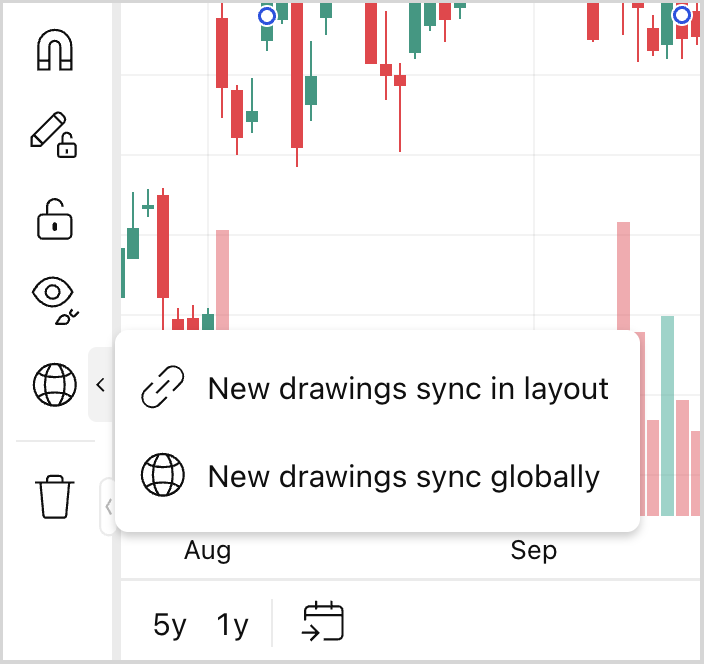
To support this under the hood, we have extended the save/load adapter API when saving drawings separately.
The saveLineToolsAndGroups method now receives an optional context argument containing metadata: sharingMode, symbol, and requestId.
Now, context.sharingMode tells you exactly what type of synchronization is happening.
This allows you to easily separate global drawings from layout-specific ones in your storage.
Organized custom indicator inputs
As custom indicators grow in complexity, the Settings dialog can become cluttered, making it difficult for users to find the parameters they want to adjust.
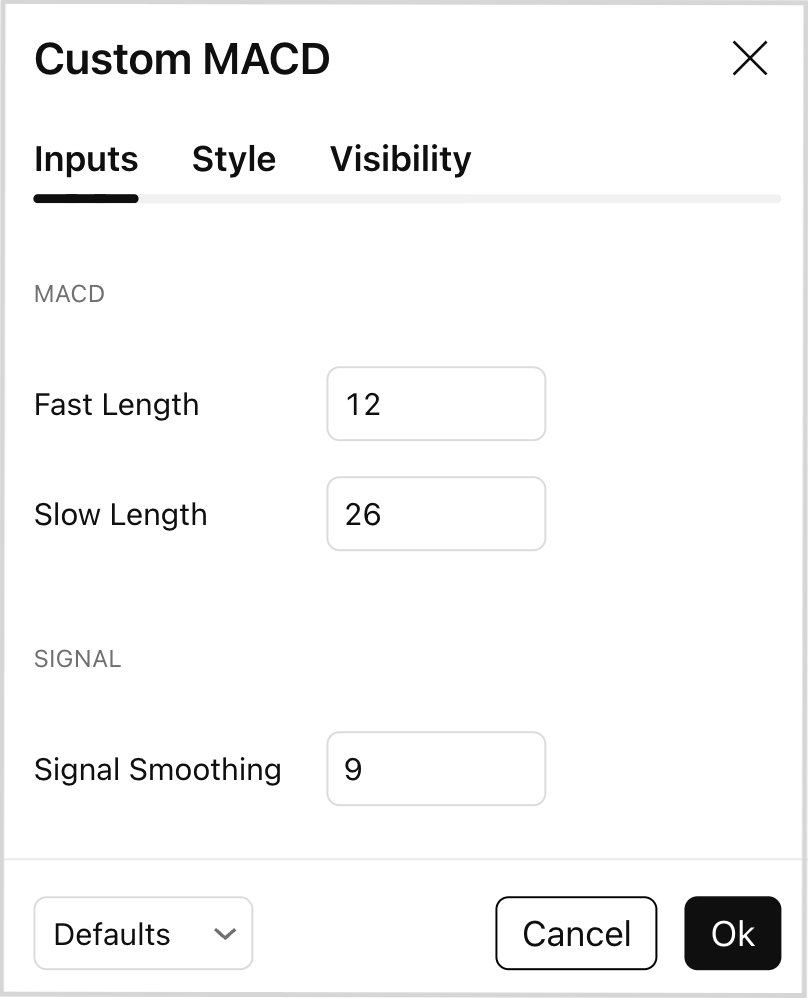
You can now use the group property in your custom indicator's inputs to organize related inputs under a common header.
In the example below, "Fast Length" and "Slow Length" appear under a MACD header while "Signal Smoothing" appears under a Signal header.
- Settings dialog
- Metainfo configuration
metainfo: {
    // ...
    inputs: [
        {
            id: "fast_length",
            name: "Fast Length",
            defval: 12,
            type: "integer",
            group: "MACD",
        },
        {
            id: "slow_length",
            name: "Slow Length",
            defval: 26,
            type: "integer",
            group: "MACD",
        },
        {
            id: "signal_length",
            name: "Signal Smoothing",
            defval: 9,
            type: "integer",
            group: "Signal",
        },
    ]
}
Conclusion
This release also includes important bug fixes, such as resolving a delayed chart refresh when applying tradingProperties overrides and fixing a ReferenceError when adding orders with exit levels.
For the full list of updates, improvements, and fixes, see the Release notes.