Version 31.0.0
Welcome to Version 31.0.0.
This major release introduces a new table view for precise data analysis, brings support for multiple exit levels, and applies UI updates across the chart. Let's dive into the highlights.
Key updates
Data table view
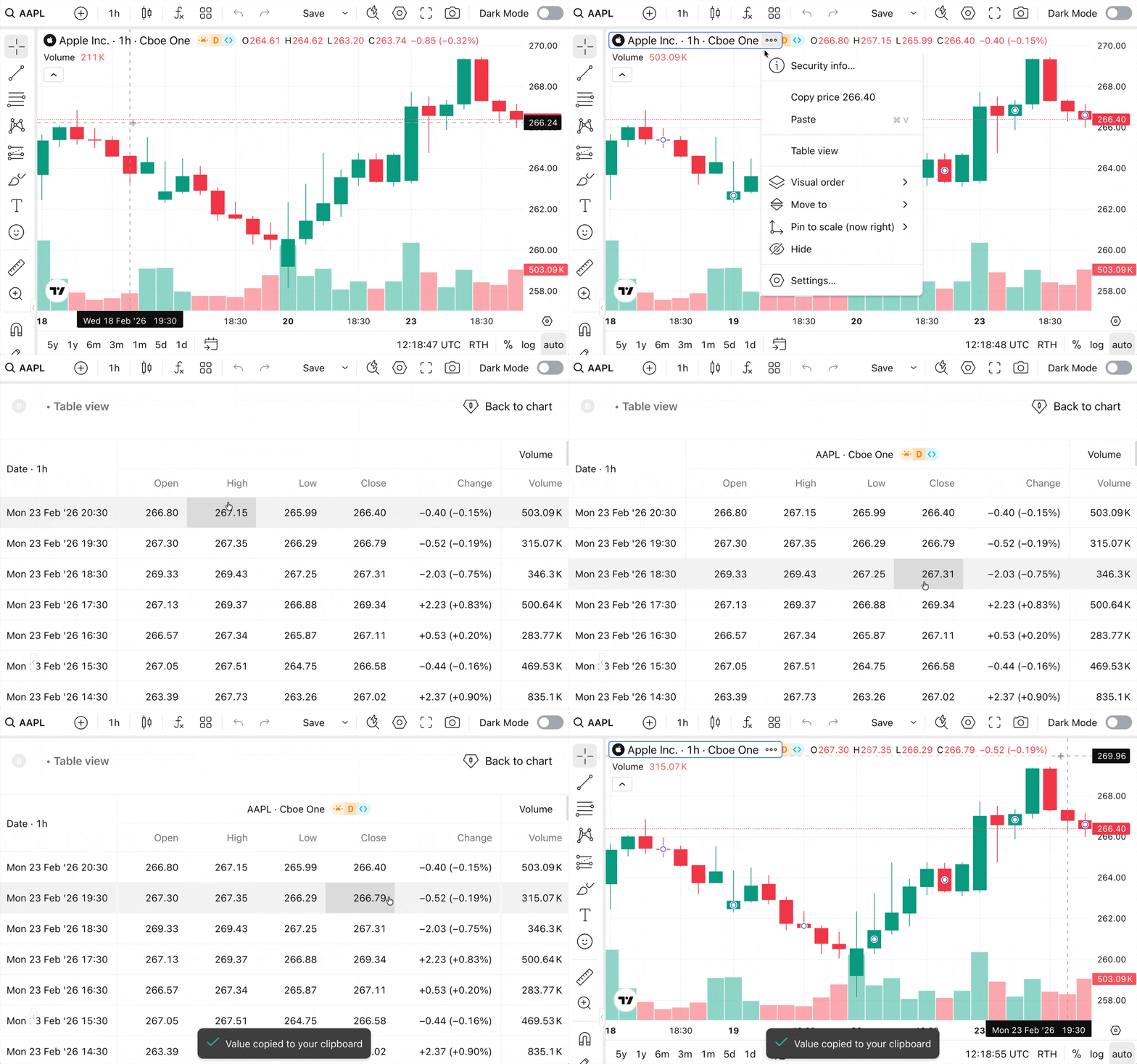
Users can now toggle their display to view chart and indicator data in table view. This mode is accessible via the legend's "More" menu or the chart context menu.
Multiple exit levels
Risk management is the cornerstone of professional trading. Now, Trading Platform supports multiple exit levels (brackets).
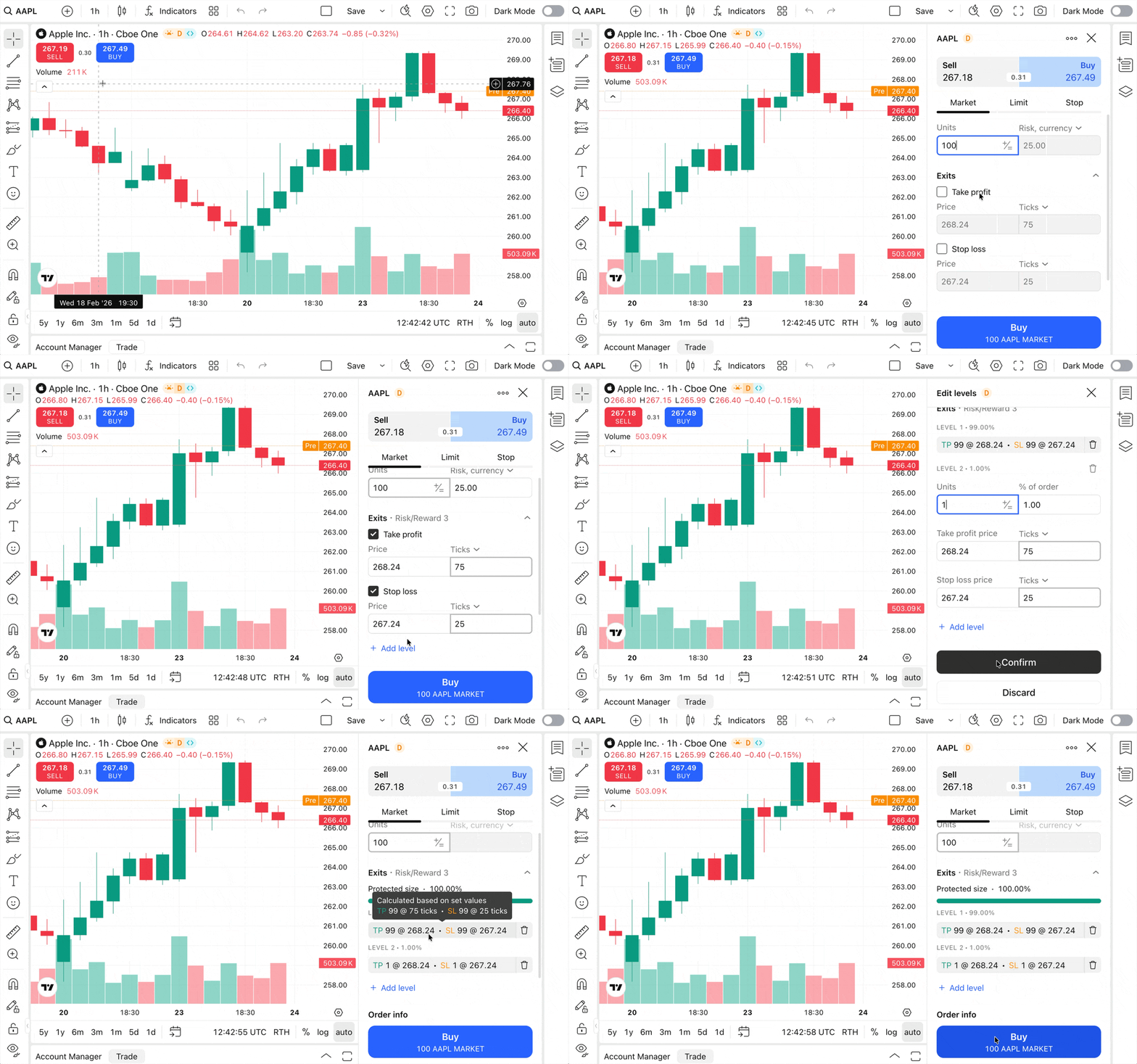
When the supportMultipleExitLevels configuration flag is enabled, users can now protect their orders and positions with multiple take-profit and stop-loss levels at different prices and quantities.
This gives your users granular control over their strategy execution directly from the chart.
For more information, see Multiple exit levels.
No overlap mode
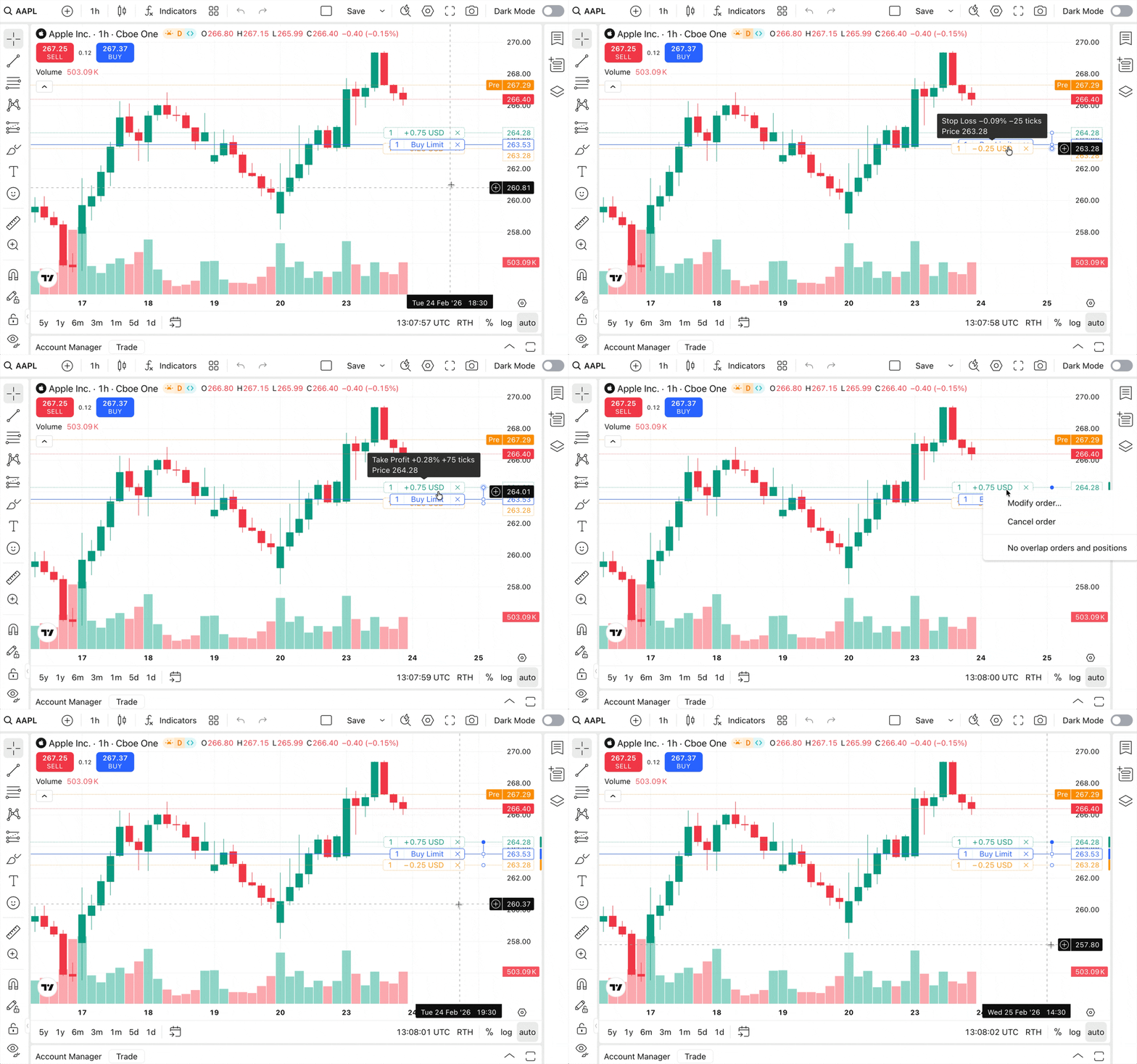
When multiple orders or positions cluster at the same price level, labels often become unreadable. In version 30, we introduced no overlap mode, a context menu option that automatically offsets the trading lines and labels. In this version, the No overlap orders and positions setting is now persistent. Once enabled, the separation remains active until you manually toggle it off.
Adaptive trading layouts
To help maintain a clean interface on smaller devices, we have introduced a new tradedGroupConfig object within the SingleBrokerMetaInfo interface.
This configuration controls the traded group — the combination of elements drawn on the chart for a single position or order (including lines, dots, and UI controls).
Inside this configuration, the new supportAdaptiveLayout property controls responsiveness:
- When
true(default), trading buttons (such as TP/SL modifications and P&L displays) on position and order lines will automatically hide on narrow viewports to optimize the layout. - When
false, these buttons will remain visible regardless of screen width.
Documentation
New guides
- Events and subscriptions guide clarifies how to handle the library's event system. The events are divided into three distinct scopes: widget, chart, and global, each with its own set of listeners and use cases.
- Trading overrides convention guide explains the hierarchical naming pattern used for trading properties.
Following the
{Side}.{State}.{Element}.{Property}format, you can determine the correct property name without guessing.
Streamlined structure
We have significantly reorganized our documentation to make onboarding faster. The previously expansive Getting started section has been refined into a focused Introduction and Get started guides. Advanced topics previously located in Getting started have been moved to their specific functional categories (such as Configuration or Reference).
Faster work with AI assistant
As introduced in the previous major version, we provide a downloadable file containing our complete documentation and full TypeScript definitions. This file is updated with every release to reflect the latest API changes, new features, and deprecated methods. Feeding this file to your AI assistant ensures it generates answers compatible with the latest release. For more information, see Build AI library assistant.
Conclusion
This release also includes important bug fixes, such as corrected P&L calculations for Risk/Reward drawings and improved quantity rounding logic. For the full list of updates, improvements, and fixes, see the Release notes.